基于龙虾自带memory_search,通过 Ollama + nomic-embed-text搭建完全免费的本地记忆库,告别官方推荐使用openai,零成本使用OpenClaw 本地语义记忆功能。
一、为什么要用本地向量模型?
memory_search 常用记忆模型
| 模型 | 特点 |
| nomic-embed-text | 本地部署模型,私有记忆 |
| OpenAI embedding | 需要API key,国内访问受限 |
| Google Gemini embedding | 需要API key,国内访问受限 |
默认情况下,OpenClaw使用云端embedding服务默认需要Openai ,但对于重视数据隐私或希望降低成本的场景,本地部署是更好的选择。本地向量模型可以让敏感数据不出本地网络,调用成本为0。
二、配置前的准备工作
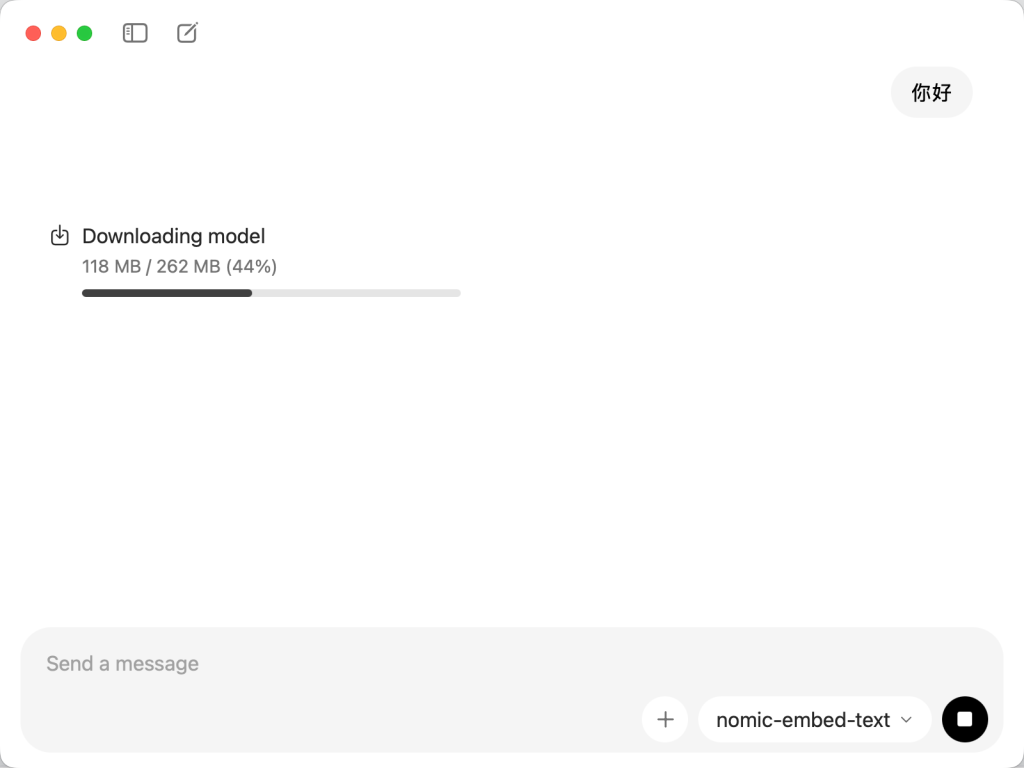
Ollama下载安装nomic-embed-text模型
- Ollama环境:确保已安装Ollama并运行
- 向量模型:下载nomic-embed-text模型(命令:ollama pull nomic-embed-text)
- OpenClaw配置:在openclaw.json中配置memorySearch参数
三、关键配置步骤
参考官方配置文档配置memorySearch:
agents:
  defaults:
    memorySearch:
      enabled: true
      provider: "ollama"
      model: "nomic-embed-text"
或
终端执行
openclaw config set agents.defaults.memorySearch.enabled true
openclaw config set agents.defaults.memorySearch.model "nomic-embed-text"
openclaw config set agents.defaults.memorySearch.provider "ollama"
重点说明:
enabled: true– 启用语义搜索provider: "ollama"– 指定本地模型model: "nomic-embed-text"– 向量模型名称
配置本地ollama下nomic-embed-text模型到openclaw
"ollama": {
        "api": "ollama",
        "apiKey": "ollama-local",
        "baseUrl": "http://127.0.0.1:11434",
        "models": [
          {
            "contextWindow": 2048,
            "cost": {
              "cacheRead": 0,
              "cacheWrite": 0,
              "input": 0,
              "output": 0
            },
            "id": "nomic-embed-text",
            "input": [
              "text"
            ],
            "name": "nomic-embed-text"
          }
        ]
      }
重点说明:
- 需正确配置本地模型到openclaw
- 再实际实现memory_search时,可以复制本文链接丢给龙虾学习并完成
四、遇到的坑与解决方案
配置过程中我遇到了几个问题:
- 配置不生效:使用config.set命令写入而非config.patch
- Gateway缓存:修改配置后需要重启Gateway
- 验证状态:使用openclaw memory status –deep确认
最终成功的三步:
- 1. 命令行写入:openclaw config set agents.defaults.memorySearch.enabled true
- 2. 重启Gateway:openclaw gateway restart
- 3. 验证:openclaw memory status –deep
五、验证结果
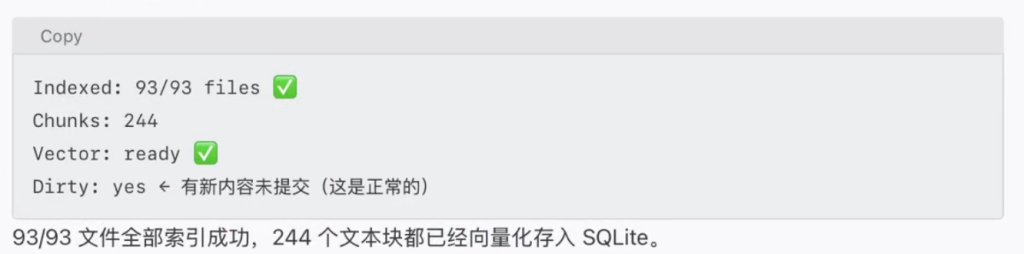
配置成功后,验证输出显示:
Memory Search (main)
Provider: ollama (requested: ollama)
Model: nomic-embed-text
Indexed: 88/91 files · 233 chunks
Embeddings: ready